



When a WordPress install is finished the site works but is not yet ready for SEO. The 15 settings below list the highest-impact steps you can take before launch or on day one. Go in order; each takes a few minutes.
Basic settings
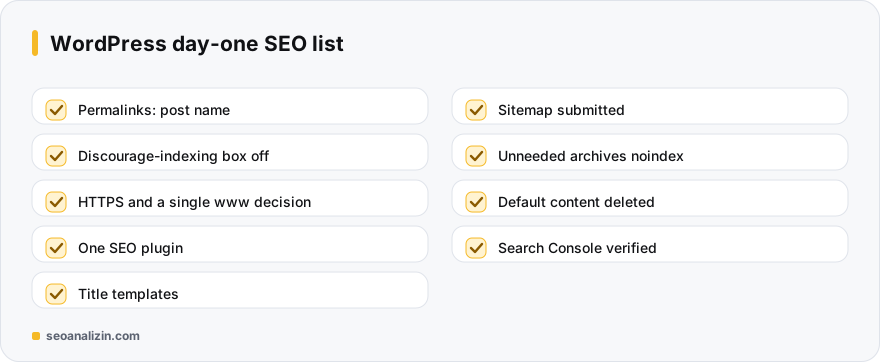
- Permalinks: in Settings > Permalinks choose the “Post name” structure. Changing it after launch requires redirects.
- Search engine visibility: make sure the “discourage indexing” box in Settings > Reading is off on the live site. See the noindex guide.
- HTTPS: install the certificate, set the site address to https and redirect http. See the HTTPS guide.
- The www decision: choose www or non-www and 301 the other.
- Site title and tagline: delete the default “Just another WordPress site” text.
Plugin and structure
- Choose one SEO plugin: Yoast, Rank Math or similar; only one. More than one conflicts.
- Set title templates: a template like %%title%% | %%sitename%% for posts, pages and categories. See title length.
- Check and submit the sitemap: see robots.txt and sitemap settings.
- Noindex unnecessary archives: tag, date and author archives add no value on a single-author site.
- Delete default content: the “Hello world!” post, the sample page and the comment.
Content and user experience
- Keep the category structure simple: sort posts into one or two categories; do not create hundreds of tags.
- Compress images and give alt text: see alt text.
- Caching and speed: a caching plugin and a modern image format. See Core Web Vitals.
- Theme and mobile: try the theme on a phone. See mobile-friendliness.
- 404 page: set up a 404 page that sends users to the home page or search. See the 404 guide.
Measurement
- Verify Search Console: see Search Console setup.
- Backups and updates: set up automatic backups; keep WordPress, the theme and plugins up to date.
After all settings, scan the site with the SEO Analysis and make sure no critical warnings remain. For direct help from the WordPress dashboard you can also look at the WordPress SEO plugin.
The last 5 minutes before launch
After completing the 15 settings, do this short check right before launch:
- Open the home page and a post in a private window; do the design and links work?
- Search the page source for
noindex: there should be none. - Open
/robots.txtand the sitemap address in a browser. - Scan the home page with the SEO Analysis and confirm no critical warnings remain.
After launch, repeat the same check within a week; plugin and cache settings change often in the first days.
Post-install questions
Which SEO plugin is better?
Yoast and Rank Math are both sufficient. Pick one and set it up correctly.
Can I change permalinks later?
Yes, but you must redirect old addresses to new ones with 301.
Should I use tags?
If they really help navigation. Adding a new tag to every post produces weak archive pages.



Join the discussion
Share your experience or ask a question about this guide.