



Search Console is the free tool that shows how Google sees your site. It shows the searches that bring visitors, the pages that are and are not indexed, and technical problems. Setup takes half an hour and should be done on day one so data starts accumulating.
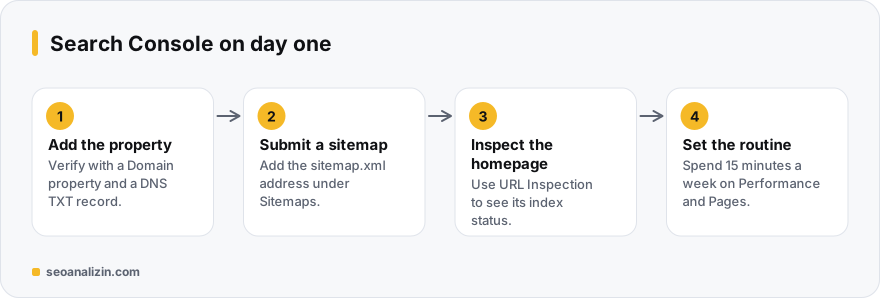
Choose a property type
- Domain property: combines http, https, www and subdomains in one property. It requires adding a TXT record to DNS. Choose this if you can.
- URL-prefix property: covers one specific address only (for example
https://www.example.com/). It can be verified with an HTML file, a meta tag, Google Analytics or Tag Manager.
Submit a sitemap
In Sitemaps, enter your sitemap address (for example sitemap.xml). Confirm the status says “Success.” If you get an error, see sitemap errors. If you do not have one, the XML Sitemap Generator can build it.
Five reports to check in the first week
- Performance > Search results: clicks, impressions, average CTR and position. Data is thin in the first weeks, which is normal.
- Indexing > Pages: how many pages are indexed, how many are not, and why.
- URL Inspection: see an important page's status on Google and the canonical Google chose.
- Settings > Crawl stats: server response time and crawl errors.
- Security & manual actions: it should be empty.
Reading the Performance report properly
In the query list, start with rows that have high impressions but low clicks: if your title is unappealing or your ranking is on page two, the opportunity is there. Average position is an average across queries and devices; do not read it as a single rank. Select at least 28 days and compare with the previous period.
A routine: 15 minutes a week
Each week, compare the last 28 days with the previous period in Performance, check the Pages report for new error types, and inspect newly published pages with URL Inspection. If you suspect a technical problem, the SEO Analysis report lists them page by page. If you have just launched a site, the 30-day plan shows how this routine fits in.
A sample routine for the first week
After setting up Search Console, the first-week to-do list is short:
- Day 1: verify the property and submit the sitemap.
- Days 2–3: check your five most important pages with URL Inspection.
- Day 7: look at the number of indexed and non-indexed pages in the Pages report and read the reasons.
- Every week: note queries getting impressions in the Performance report.
Little data at the start is normal; the charts settle within a few days.
Beginner questions
What is the difference between Search Console and Google Analytics?
Search Console describes how your site appears in Google Search. Analytics shows what visitors do after they arrive. They complement each other.
How long until data shows up?
Usually within a few days of verification. The Performance report can be empty on the first days.
Can I access someone else's site?
Only if the owner adds you as a user. Without verification, no data is visible.



Join the discussion
Share your experience or ask a question about this guide.